The one page that has to be right before anything else does
Discover is where the day starts and ends for whoever is accountable for the fleet — not a reporting layer to check when there's time, but the place that says, in one look, whether today is a normal day.
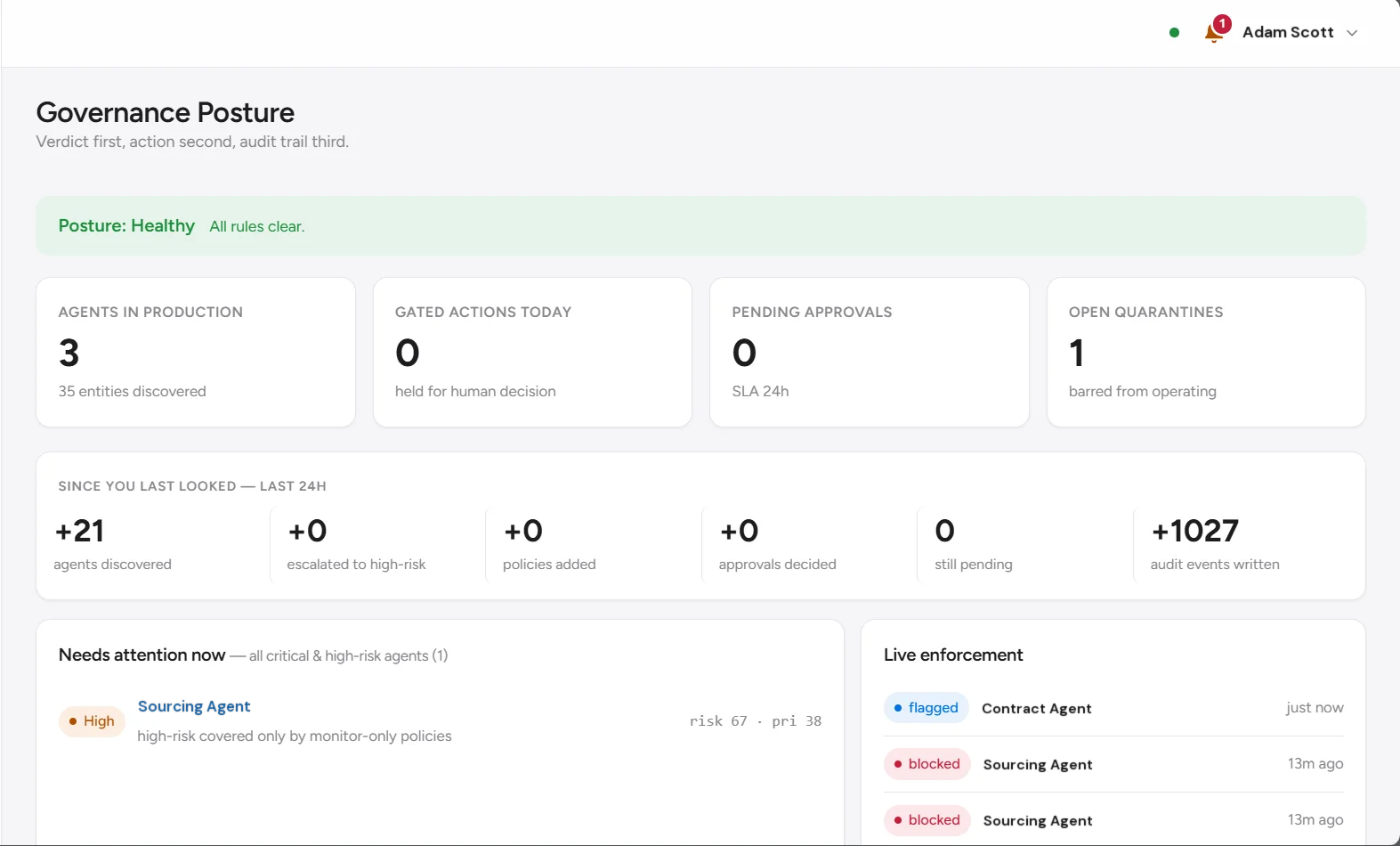
A status, not a summary
Most dashboards make you assemble the verdict from six charts. This one states it first — healthy, or not — and everything below just justifies that line.
“Covered” is a claim. “Enforcing” is a fact.
A fleet can be fully accounted for and still unprotected. Coverage here splits into three honest states — enforcing, monitor-only, ungoverned — not one percentage nobody can back up.
A 100%-covered fleet and a 100%-enforced fleet are different claims. This page is built to keep you from confusing them.
Verdict first, action second, audit trail third.
Found is not the same as trusted
Showing up in the queue means someone has to look, nothing more. Entities rank by risk and priority, and a proposed tier and score sit on every row — not a separate screen.
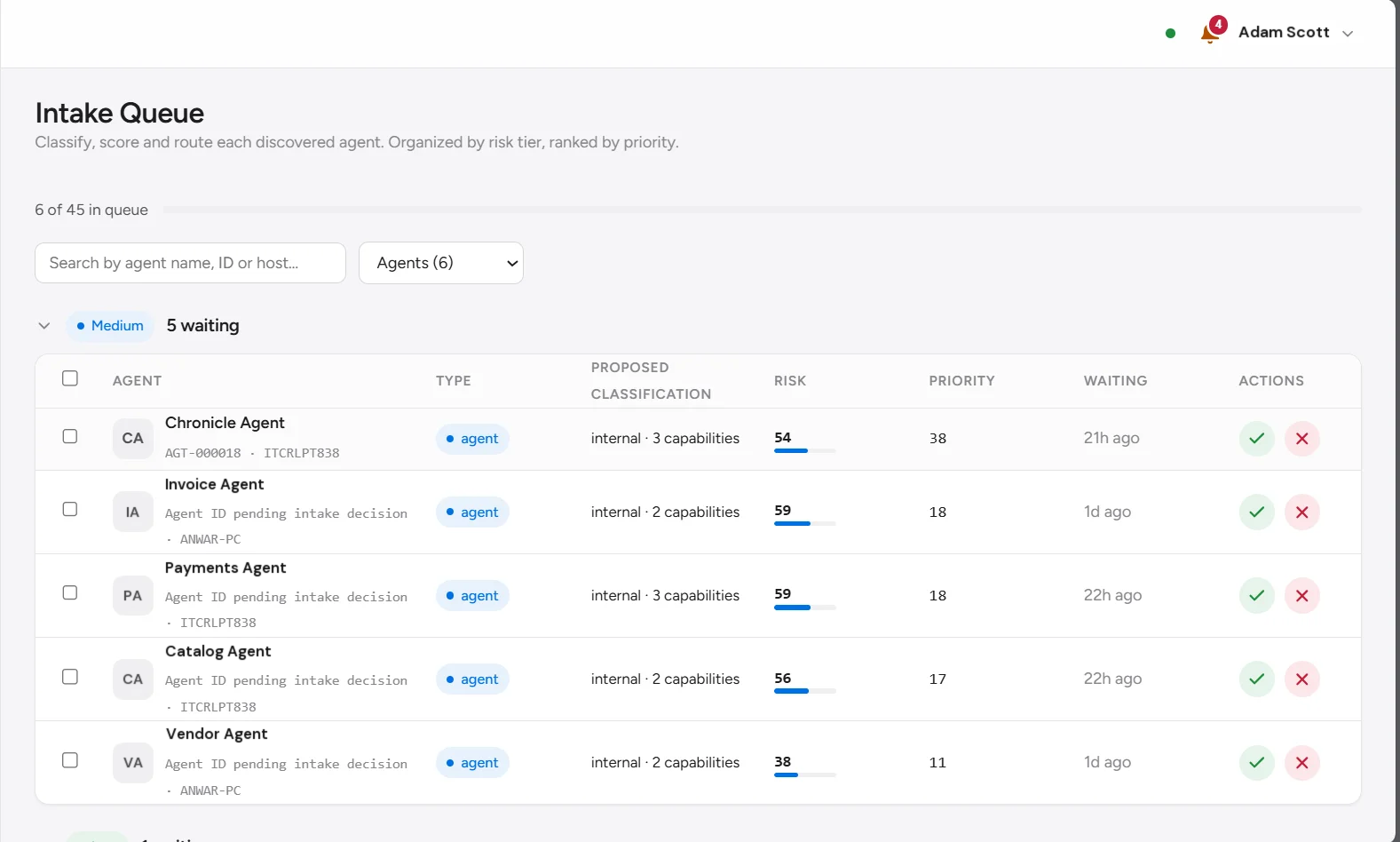
The queue has no silent default. An entity that nobody looks at stays exactly where it is — waiting — not quietly promoted to approved because time passed.
How the score is built
Every proposed classification runs through the same four weighted factors — data sensitivity, permissions, autonomy, external exposure — and changing any one of them moves the composite score immediately, before a decision is saved. Nobody has to submit a form and wait to find out if they just approved something riskier than they meant to.
Data sensitivity — 30%
How sensitive the data this entity can reach actually is — the heaviest single input, because what an agent can touch is what a breach is made of.
No entity clears review without a named accountable owner attached. Not a team, not a distribution list — a person who can be asked about it later.
Everyone who's made it past the door
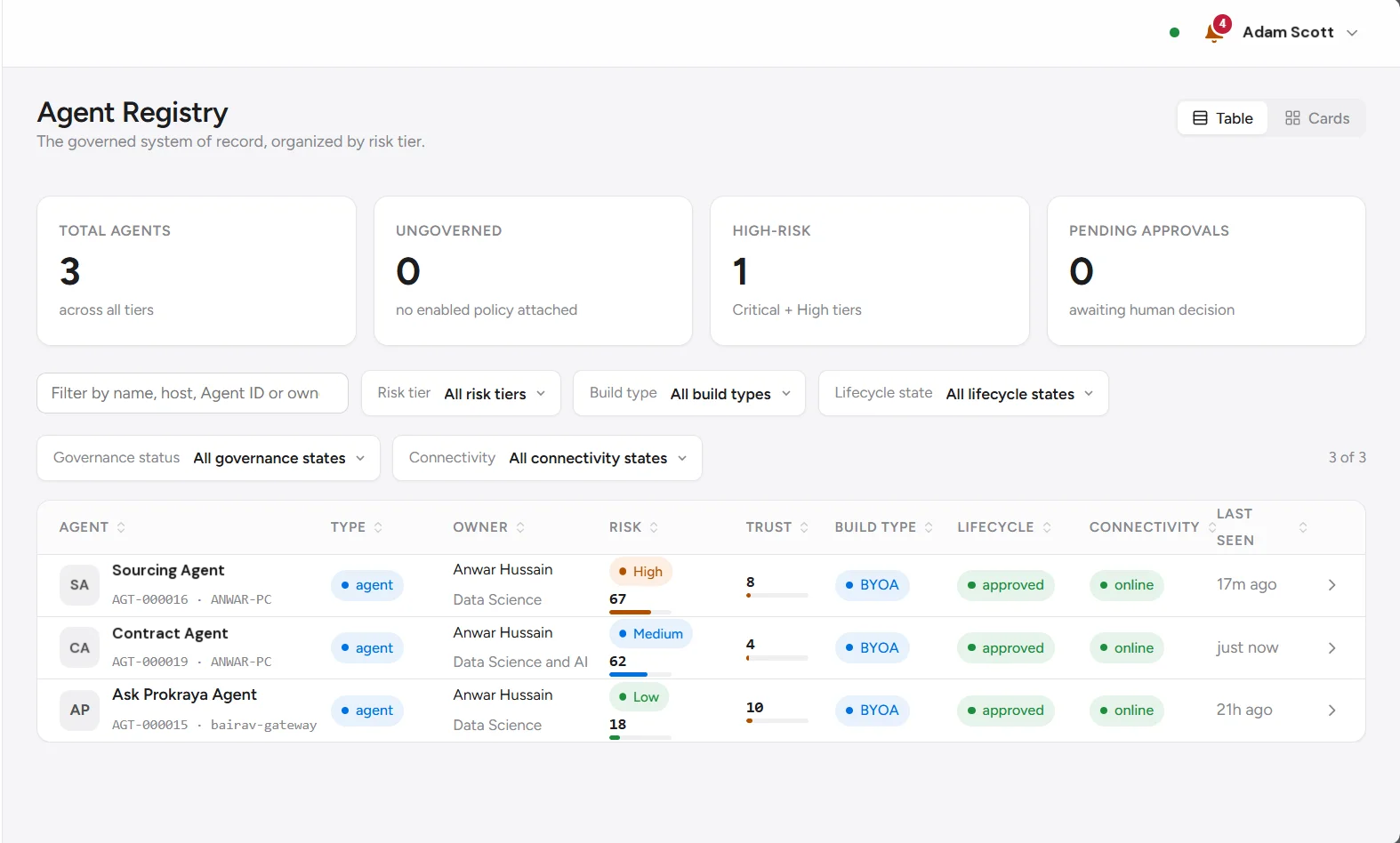
Every agent that's cleared intake lives here, sorted by risk, carrying the fields that drive a decision — not the ones that just look complete on a slide.
What a record carries
Identity
Name, ID, and enough of a fingerprint to tell two similarly-named agents apart.
Status
Where it sits right now: approved, pending, suspended, blocked.
Risk
Tier and the number behind it, so "medium" near the boundary reads as the edge case it is.
Trust
Separate from risk on purpose, built from behaviour over time, never rewritten after the fact.
Build type
Built in-house, blended, embedded, or bring-your-own-agent.
Coverage
Enforcing, monitor-only, or ungoverned — the same three states as the dashboard.
Owner
A named human, always. Not a team inbox, not "TBD."
Filters cut this list by risk, build type, lifecycle, status, and connectivity, with a live count of what's actually in view. The agents worth reading closely are the ones tagged ungoverned — that's the exact population the coverage split upstream was warning about.
Three numbers. None of them are the same question.
Confidence, Risk, and Trust get treated as one score with three names. They're not — collapsing them would hide which one is actually doing the work.
Confidence
How much the platform genuinely knows about this agent. It stops short of 100 on purpose — certainty about something discovered, not built, is a claim we won't make.
Risk
The same four-factor weighting used at intake — sensitivity, permissions, autonomy, exposure — kept live rather than frozen at the moment of approval.
Trust
Built from observed behaviour over time. It goes up slowly and it does not get quietly reset because last week looked fine.
Autonomy & controls
Oversight level, action class, observed autonomy, whether an approval gate is attached, kill-switch state: the specific levers that cap how far this agent can act without a human.
Capabilities & data access
The tools it can call and data it can reach, recorded as fact, not assumed from a role. PII access gets its own flag, never buried in a scope list.
See what your own registry actually says
We run discovery against a slice of your real environment and hand you the registry, coverage split, and the agents running ungoverned — not a demo tenant's version.